Palo Alto
Secure your network by integrating Palo Alto Networks firewall with Sceptive bl0ck.
🔧 Prerequisites
-
Palo Alto Networks firewall with PAN-OS.
-
Access to Palo Alto Web Interface.
-
Sceptive bl0ck account with API access.
Steps:
In Sceptive bl0ck, create a new Palo Alto integration and note the provided URL and credentials.
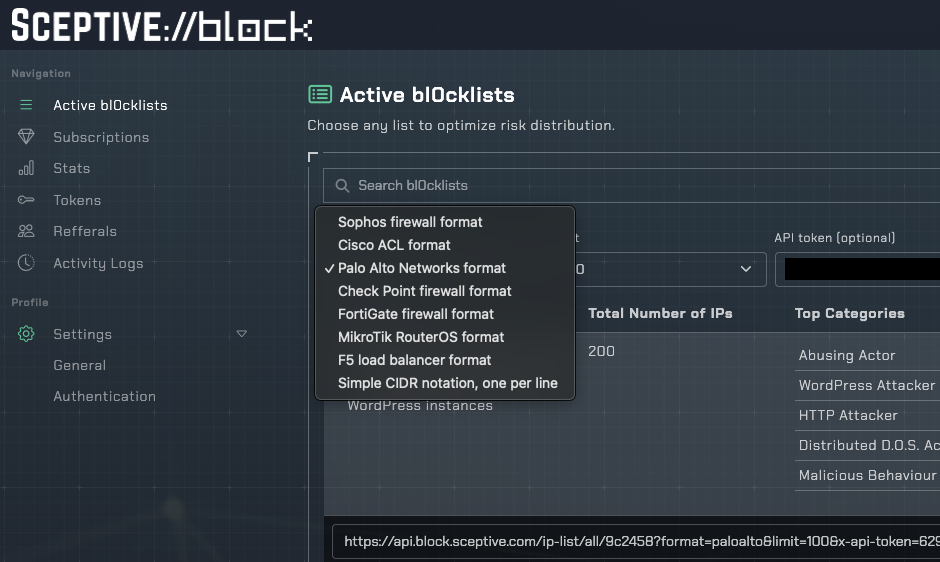
In your Sceptive bl0ck dashboard, navigate to Active bl0cklists and select Palo Alto Networks format.
Log in to the Palo Alto Web Interface and navigate to Objects > External Dynamic Lists.
Add a new External Dynamic List with the bl0ck and relate it to any policy you want whether as source or target IP address list.