Mikrotik
Protect your Mikrotik router by integrating it with Sceptive bl0ck.
🔧 Prerequisites
-
Mikrotik router with RouterOS.
-
Access to Mikrotik Winbox or WebFig.
-
Sceptive bl0ck account with API access.
Steps:
In your Sceptive bl0ck dashboard, navigate to Active bl0cklists and select Mikrotik RouterOS format.
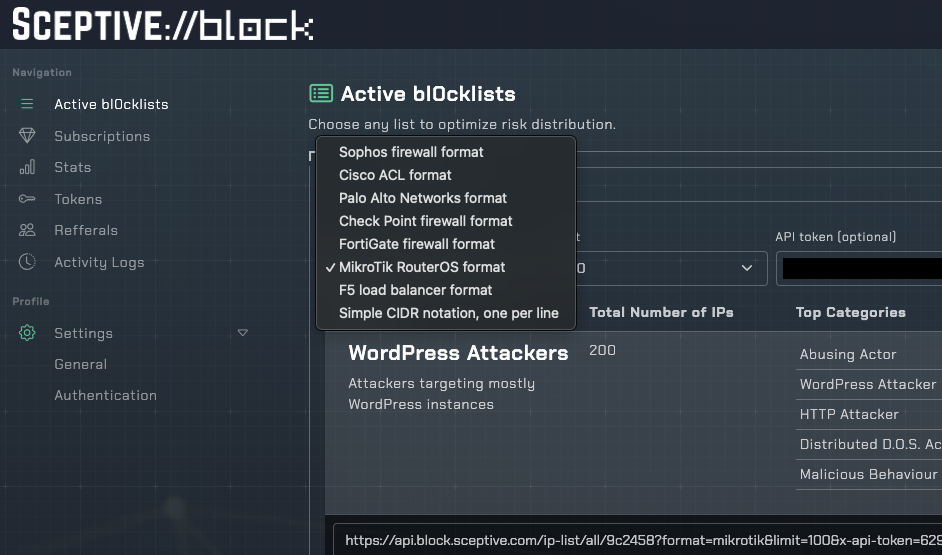
Log in to your Mikrotik router and navigate to IP > Firewall > Address Lists.
Set up a script that periodically fetches the blocklist from Sceptive bl0ck and updates the address list. Create firewall rules that drop traffic from IPs in the address list.
To configure the Mikrotik router, we will :
First you need to create a script.
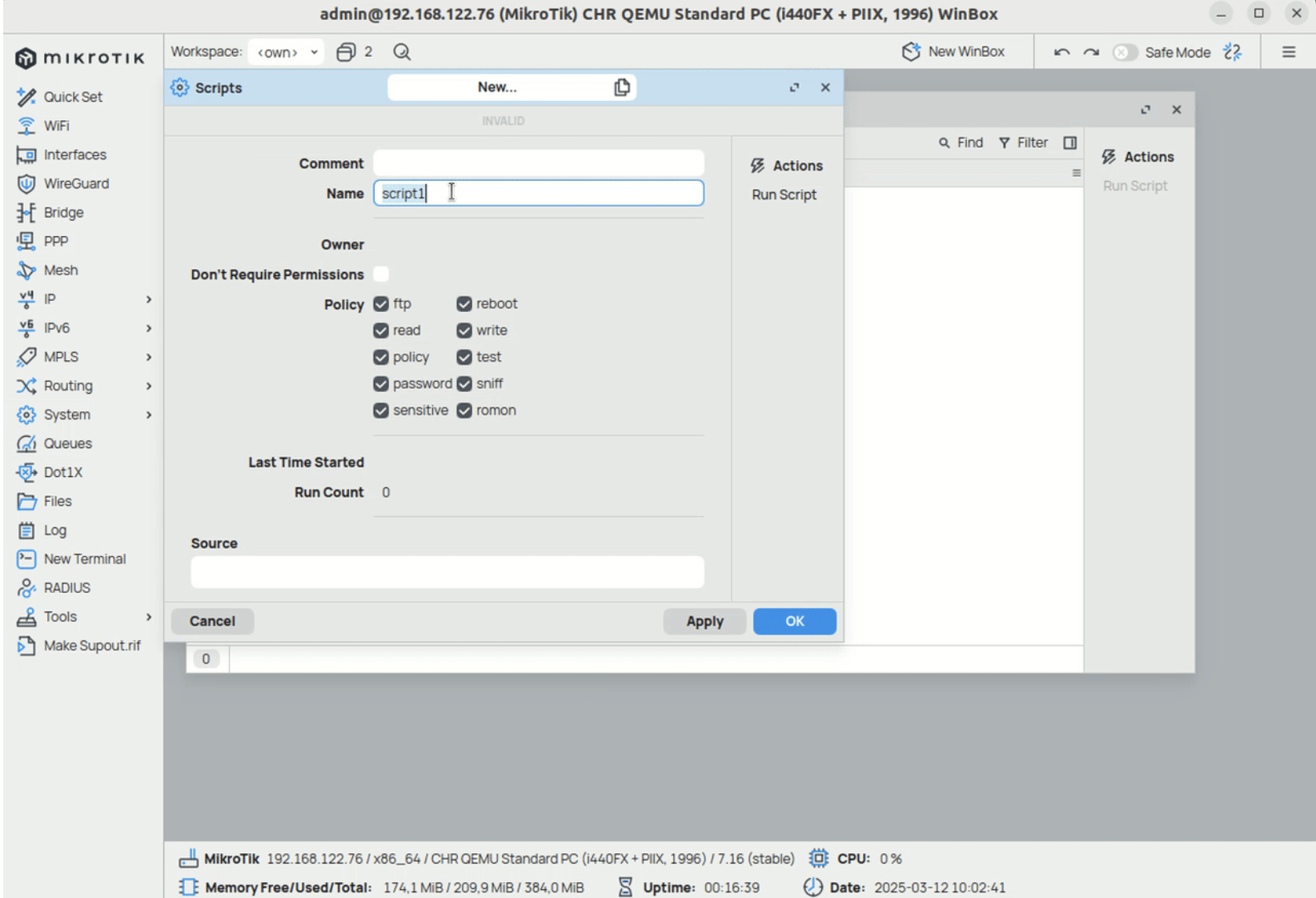
Then you need to add the following script:
:local name "[bl0ck]"
:local url "<url_you_copied_in_bl0ck_dashboard>"
:local fileName "blocklist.rsc"
:log info "$name fetch blocklist from $url"
/tool fetch url="$url" mode=https dst-path=$fileName idle-timeout="30s"
:if ([:len [/file find name=$fileName]] > 0) do={
    :log info "removing old ipv4 blocklist"
     /ip/firewall/address-list/remove [ find where list="bl0ck-integration" ];
    :log info "$name import;start"
    /import file-name=$fileName
    :log info "$name import:done"
} else={
    :log error "$name failed to fetch the blocklist"
}
- You need to replace
with the API URL provided in the dashboard.
When you click on "OK", the script will be created. You can now run the script and check the logs to see if it is working.
The script is now running and the blocklist is being imported into the Mikrotik firewall. To automate this process, you can create a scheduler that will run the script every 10 minutes.
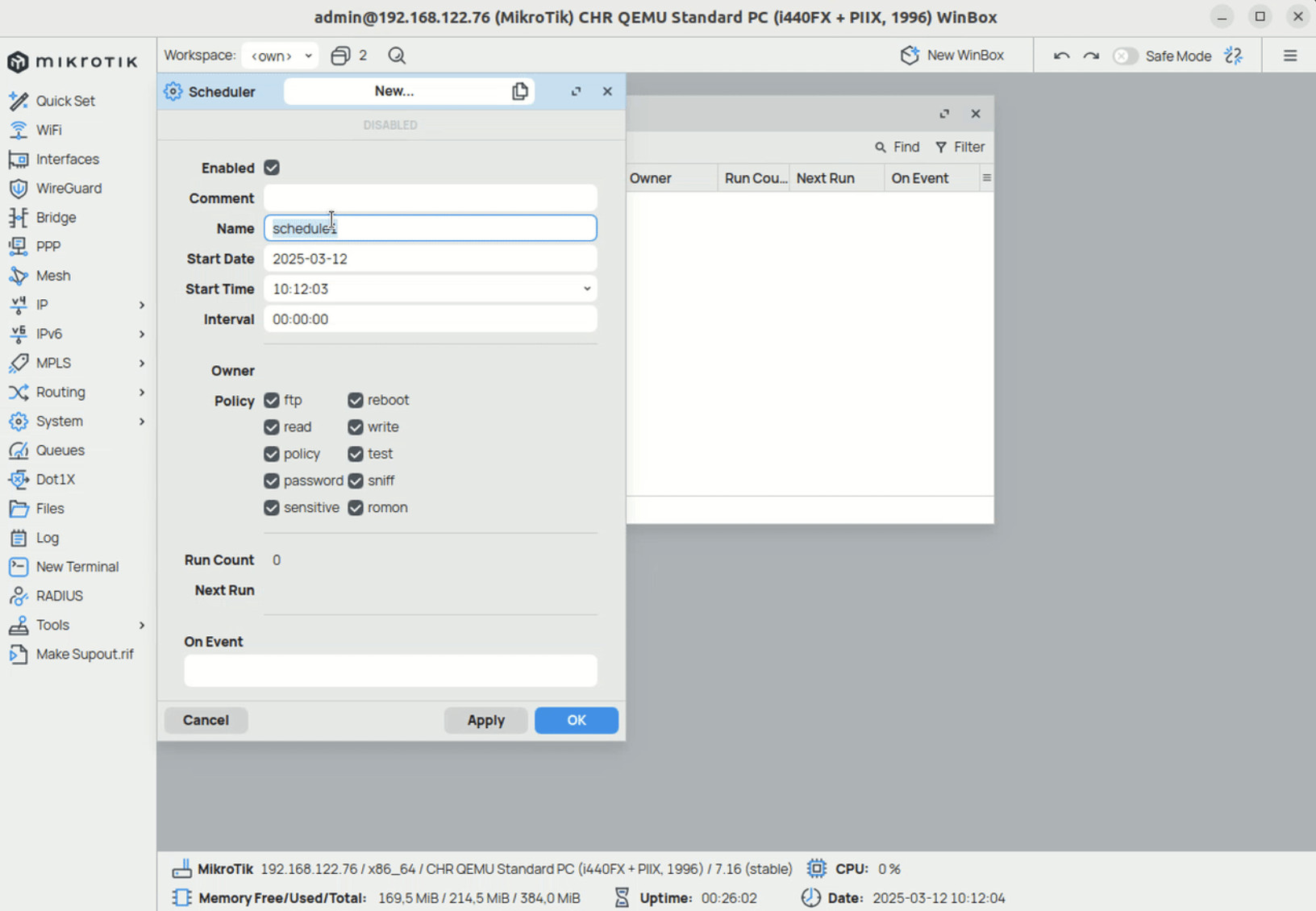
- ! Please be careful with the frequency of the scheduler and the blocklists size your subscribe to your integration, as it may cause performance issues on your Mikrotik device.