The bl0ck Checkpoint integration allows you to block malicious IPs in your Checkpoint firewall.
Prerequisites
-
Checkpoint firewall with support for external blocklists.
-
Access to Checkpoint SmartConsole.
-
Sceptive bl0ck account with API access.
Steps
Log in to your Sceptive bl0ck dashboard and navigate to Active bl0cklists section.
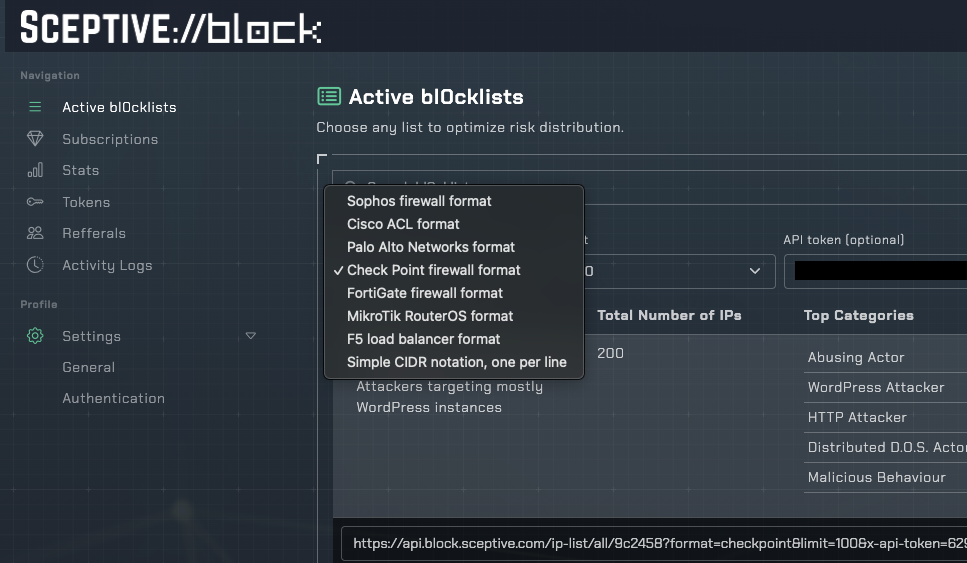
Once the page has loaded, you can select "Check Point firewall format" in the format combobox to switch compatible block list URL set.
You can copy whichever list you want to use.
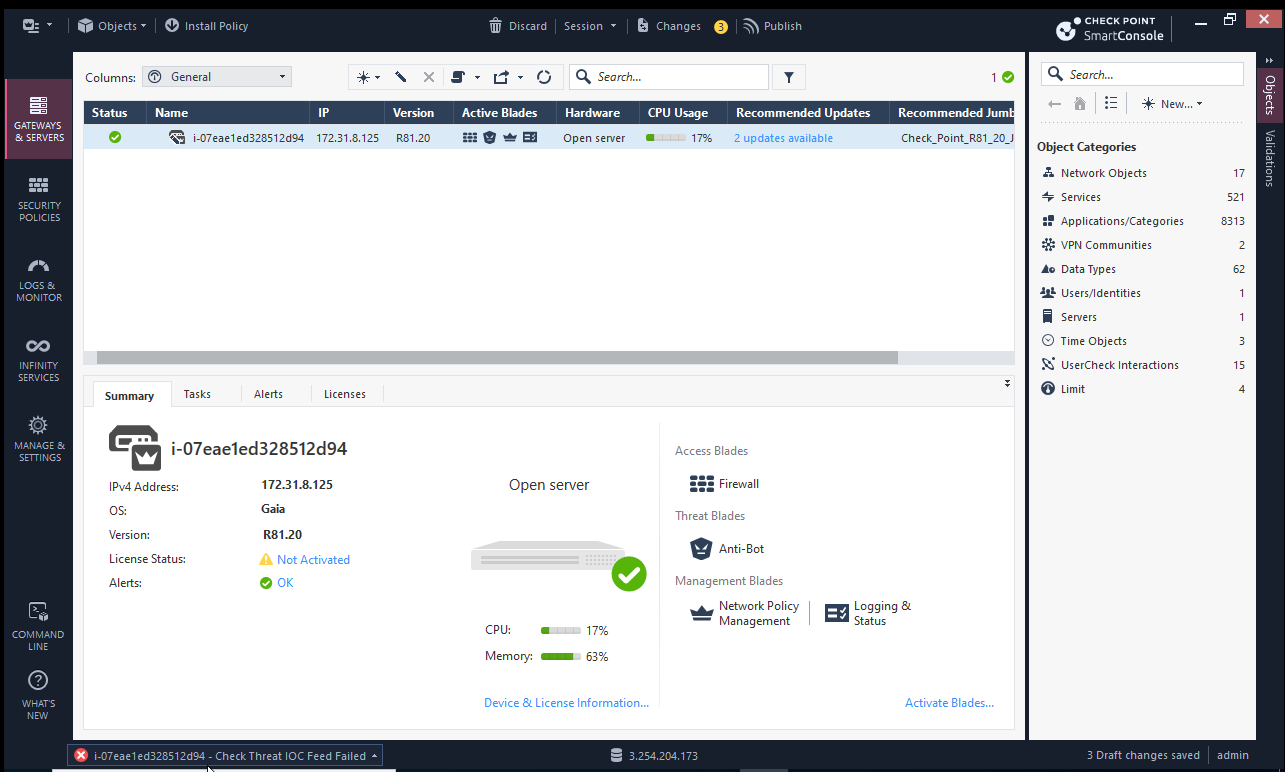
Then in the checkpoint interface, in the gateways and servers tab, double-click on the specific gateway you want to configure.
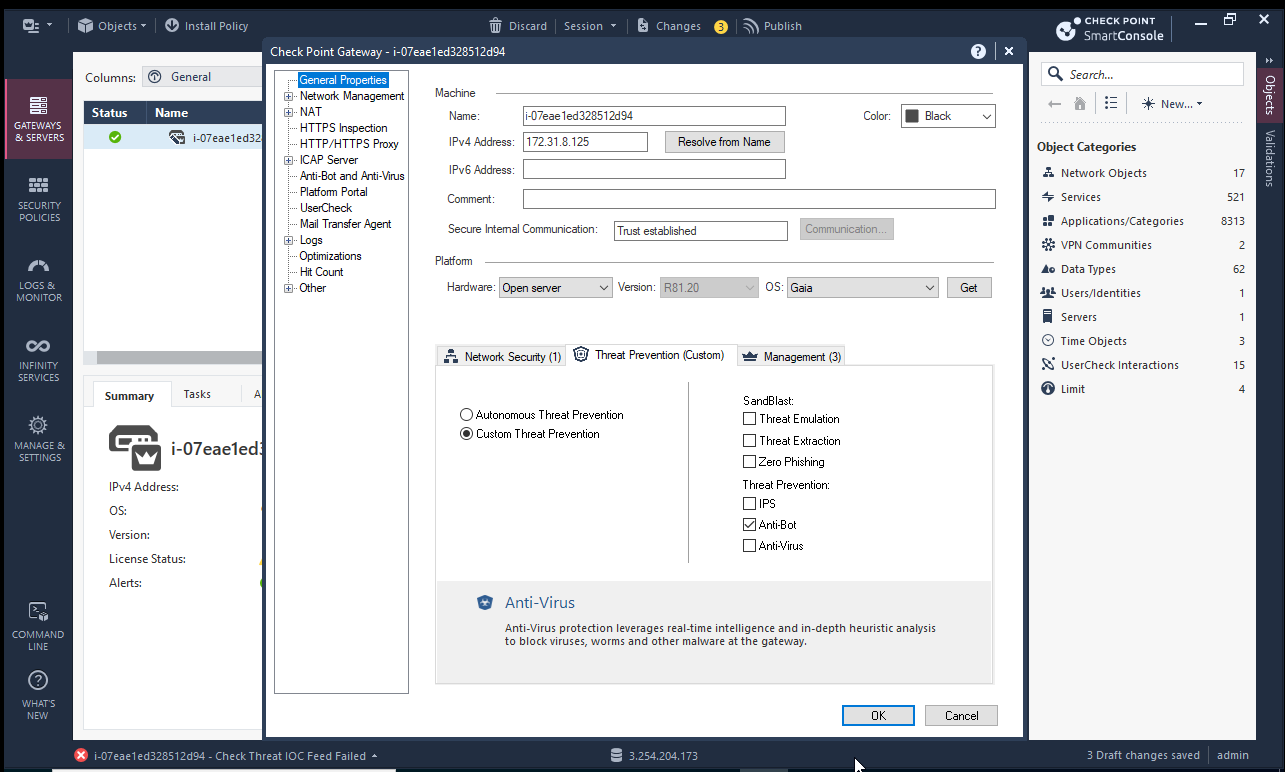
You will have this properties menu, select "Threat Prevention (Custom)", then activate at least Anti-Bot or Anti-Virus.
Now go to the "Security policies" tab, and click on "New IOC Feed". Add a new IOC Feed with the URL provided in the bl0ck dashboard you copied.
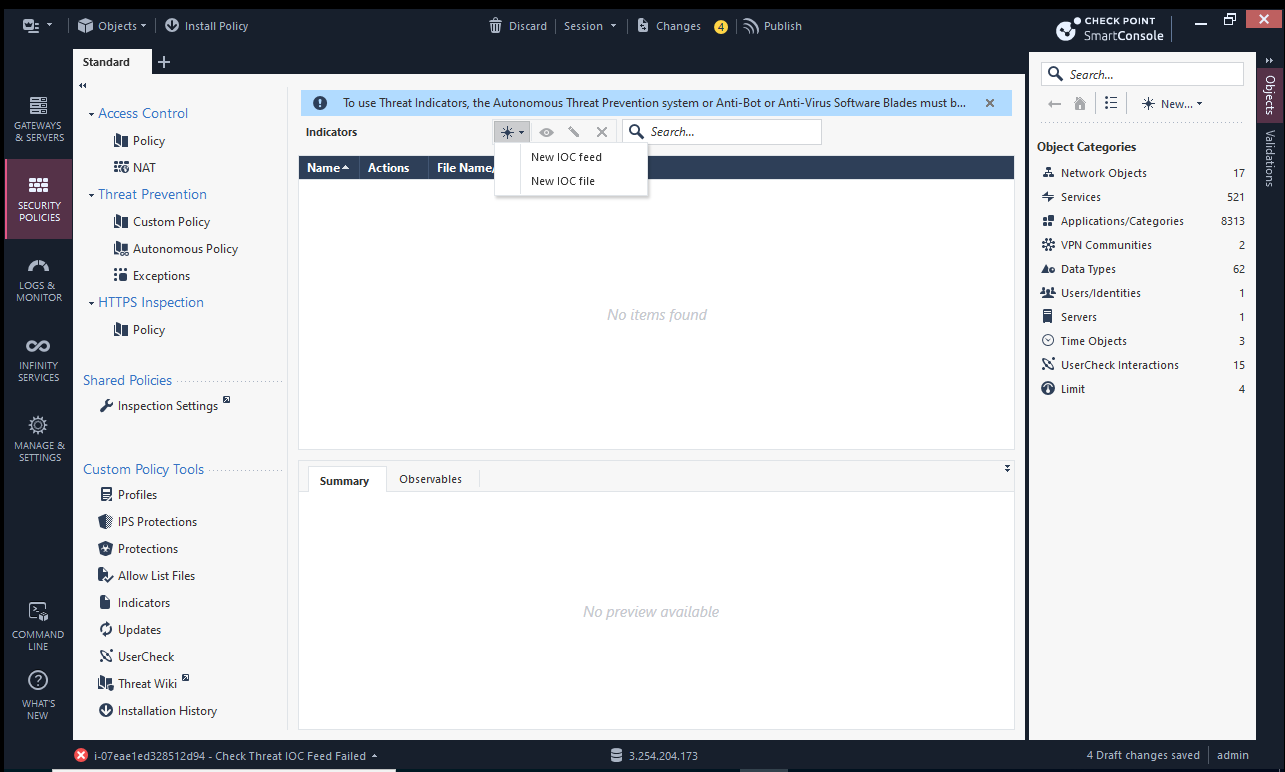
Click on "Custom Policy", then below on "Indicators". Add your feed information and click "Test Feed".
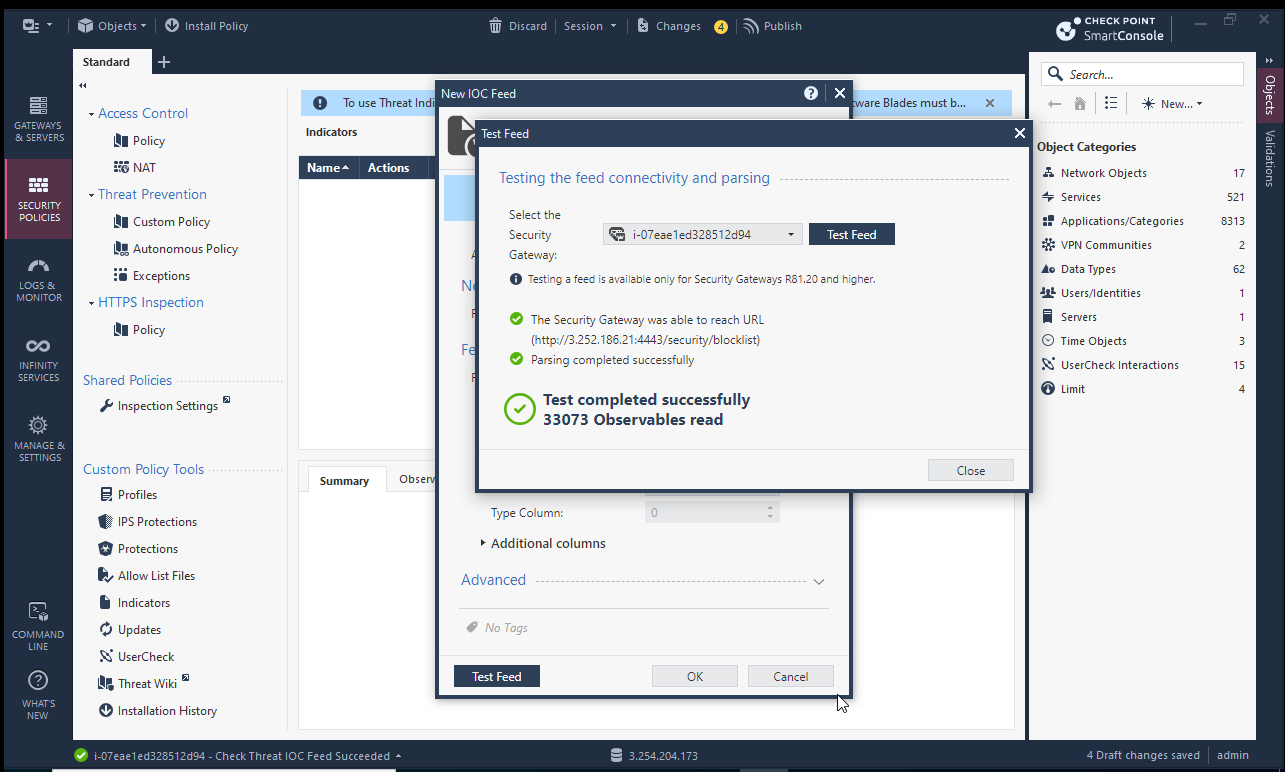
Select the Gateway and click "Test Feed". Test the feed and apply the policy to start blocking malicious IPs.
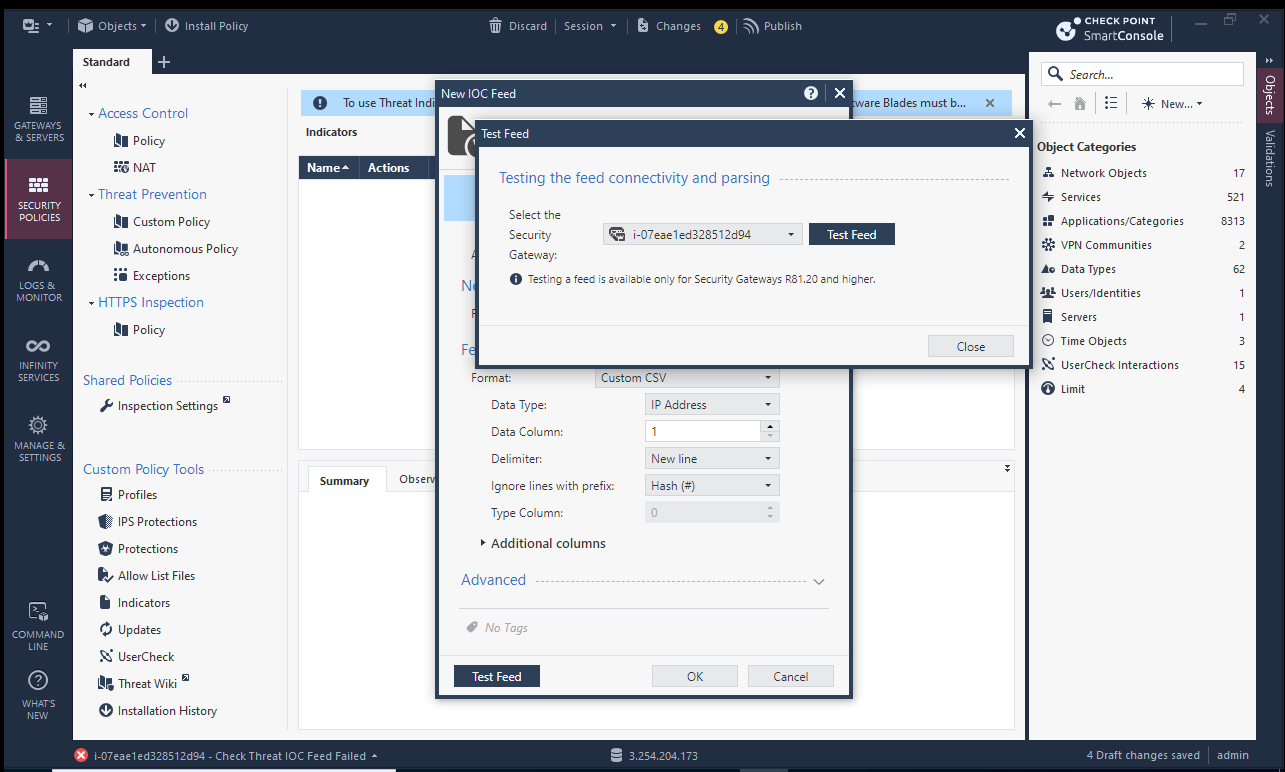
Check That the feed is working and save the configuration.
- You can also take a look at the Checkpoint Documentation for more information (if you want to do it using CLI).